
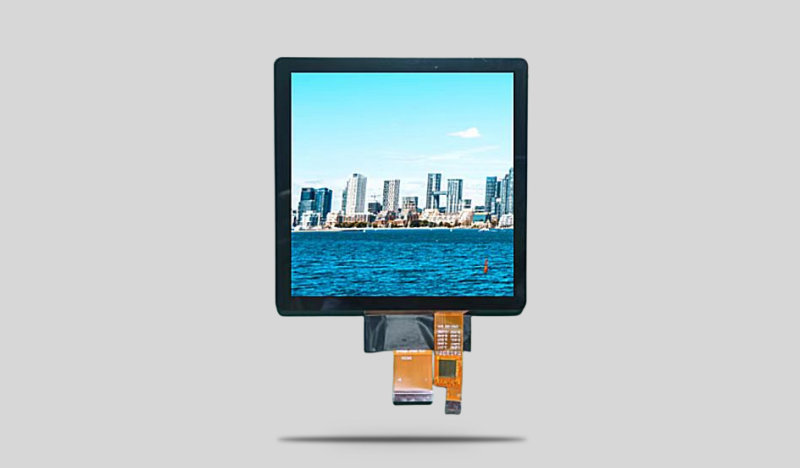
Bringing a new product to market is a complex journey, and the display is often the most critical component of the user interface. For many product developers and engineers, the idea of designing a custom screen can feel overwhelming. Where do you even begin? How do you communicate your needs to a manufacturer? What are the technical pitfalls to avoid?
This guide is designed to demystify the process. We will walk you through a clear, five-step roadmap for creating a CDTech Electronics Custom LCD Display. By following this structured approach, you can move from a vague concept to a fully approved, production-ready sample with confidence and clarity.
Step 1: Defining Your Core Requirements (The “Must-Haves”)
Before you ever contact a manufacturer, you need to get your internal specifications in order. This initial phase is about defining the non-negotiable aspects of your display. Think of this as creating the foundation of your custom LCD design.
- Environmental Conditions: Where will your product live? Indoors in a temperature-controlled office, or outdoors in direct sunlight and freezing rain? This decision dictates the need for high brightness LCD options, wide operating temperature ranges (-30°C to +85°C), and specific coatings like anti-glare (AG) or anti-fingerprint (AF).
- Mechanical Constraints: What are the physical dimensions of your product enclosure? This determines the outline of the display and the active area (AA). Do you have a unique space, like a narrow dashboard slot? This might lead you toward a bar type TFT, which are specialized formats (like 3.9-inch, 8.8-inch, or 12.3-inch) designed for such applications.
- User Interaction: How will the user interact with the screen? Will they need multi-touch gestures (requiring PCAP), or will they be wearing gloves (where resistive touch or a specialized PCAP is needed)? Will they need to see the screen from wide angles (requiring IPS technology)?
Documenting these three areas creates your project’s “iron triangle”—environment, mechanics, and interface. This document will be the starting point for every conversation with your display partner.
Step 2: Creating Your Initial Specification Document
With your core requirements defined, it’s time to translate them into a more formal specification. You don’t need to be an LCD expert to do this effectively. A good manufacturer, like CDTech, will help you refine the details, but the more information you provide upfront, the faster and more accurate the process will be.
Your initial spec document should include:
- Diagonal Size (inches): Be specific, e.g., 4.3-inch, 7.0-inch, 10.1-inch.
- Resolution (pixels): e.g., 800×480, 1024×600, 1280×800. Higher resolution for detailed graphics, lower for simpler interfaces.
- Interface Type: This is crucial. Common options include RGB, LVDS, or MCU. Your choice depends on your main processor or motherboard’s capabilities.
- Brightness Target (nits/cd/m²): Standard indoor is 250-400 nits. Outdoor readability typically requires 800 nits or more.
- Optical Specifications: Viewing angle preference (e.g., IPS for full viewing angles, or 12 o’clock for specific orientations).
- Touch Panel Requirements: Specify if you need a touch panel solution, the type (RTP or CTP), and any cover glass preferences (shape, color, logo printing).
Sending a list like this to the sales or engineering team at CDTech gives them a perfect starting point for their feasibility study.
Step 3: Technical Review and Quotation
This is where the partnership truly begins. You send your initial specification document to the manufacturer. Their Research & Development (R&D) and engineering teams will then perform a detailed feasibility study.
During this phase, the manufacturer will:
- Verify Feasibility: They will determine if your requests are technically and economically achievable. As noted in CDTech’s FAQ, they will confirm if your “product request is feasible.”
- Provide Alternatives: If a specific request isn’t feasible (e.g., a resolution that isn’t standard for that LCD size), they will offer viable alternatives. This collaborative problem-solving is a key benefit of working with an experienced OEM display manufacturer.
- Calculate Tooling Costs: Every custom element—a new shape for the cover glass, a different backlight unit, a custom FPC (Flexible Printed Circuit)—may require new tooling. The manufacturer will provide a detailed breakdown of these Non-Recurring Engineering (NRE) and tooling costs based on your specific product requirements.
- Propose a Timeline: They will outline the lead time, which for tooling orders is typically around 4 weeks, with the overall project timeline depending on material availability and complexity.
The result of this step is a formal quotation and a proposed project schedule, giving you a clear picture of the investment and time required.
Step 4: Design, Engineering, and Sampling
Once you approve the quotation and costs, the real magic begins. The manufacturer moves from evaluation to creation. This phase involves several parallel engineering tracks to bring your custom LCD display to life.
- Electrical Engineering: Your chosen interface (LVDS, RGB, etc.) is integrated into the display’s design. If needed, a custom PCB board or converter board is designed to ensure perfect signal integrity and a seamless connection to your system.
- Optical Engineering: The backlight unit is designed or modified to hit your brightness targets. If you’ve requested optical bonding (using OCA or LOCA) for better durability and optical performance, this process is specified.
- Mechanical & Touch Engineering: For projects requiring a touch panel integration, the cover glass is designed to your exact mechanical drawings, including any curves, cutouts, or silk-screened borders. The touch sensor pattern is laid out to work perfectly with the LCD below.
- Sample Build: All these elements come together in the first article samples. You will receive physical units that represent the culmination of all the design work. This is a major milestone, allowing you to test the TFT LCD module in your own lab and inside your actual product enclosure.
This stage is highly iterative. You might receive samples, test them, and request minor tweaks to the firmware or a slight adjustment to the touch sensitivity. A good partner, with a dedicated project manager (PM), will facilitate this feedback loop efficiently.
Step 5: Testing, Validation, and Mass Production
You have a sample in your hand that looks and performs perfectly. The final step is to lock down the design and prepare for mass production. This stage is about verification and quality assurance to ensure that every unit rolling off the production line matches the quality of your approved sample.
- Sample Approval: You formally sign off on the sample, confirming that it meets all agreed-upon specifications.
- Pilot Run: Often, a small pilot production run is conducted. This allows the factory to fine-tune their manufacturing processes and ensures that the transition from sample to mass production is smooth.
- Quality Control: The manufacturer’s professional quality team implements rigorous testing procedures. This includes optical inspections, electrical testing, and reliability checks to guarantee consistent quality.
- Logistics and Support: With production underway, the focus shifts to delivery and ongoing support. Reliable after-sales support ensures that any issues that arise during your own production process are addressed quickly.
By following these five steps, the complex journey of display customization becomes a manageable, structured process. It transforms a daunting task into a clear path toward a unique, high-performance component that can truly define your product.
Do I need to be an engineer to start this process?
Not at all. While technical details are important, you can start with a simple description of your product, its use case, and your goals. A good manufacturer will use their expertise to help you translate your concept into a technical specification.
How long does the entire process take, from start to finish?
It varies by complexity. A relatively simple modification to an existing design might take 8-10 weeks. A completely new, fully custom design with complex touch integration could take 4-6 months. Your manufacturer will provide a detailed timeline after the feasibility study.
What if my product idea changes after we start the tooling?
Changes are possible but can impact cost and timeline. Major changes after tooling has begun may require new tooling and incur additional NRE costs. This is why the initial specification phase (Step 1) is so critical.
Is it expensive to get a custom LCD made?
There is an upfront tooling investment, but the per-unit cost in mass production can be very competitive. Furthermore, a custom display often reduces overall system costs by eliminating the need for workarounds, extra interface boards, or complex mechanical adaptations required to fit a standard display.